
Let’s be real for a second. The average recruiter spends just 7.4 seconds scanning a resume before deciding whether to move it forward or toss it aside. That’s less time than it takes to tie your shoes.
So if you’ve been spending hours tweaking margins and wondering, “What does a good resume look like?” — you’re asking the right question. The answer isn’t about fancy graphics or over-the-top language. It’s about clarity, relevance, and impact.
In this guide, you’ll learn exactly how to make a resume that gets results. Let’s dive in.
What Is a Resume & Why Does It Matter?
Before we talk about how to build one, let’s be clear on the purpose of a resume.
Your resume is not a life story. It’s not a list of everything you’ve ever done. It’s a targeted marketing document designed to do one thing: get you an interview.
A strong resume does three things:
- It shows recruiters, at a glance, that you have the skills they need.
- It uses keywords that pass through Applicant Tracking Systems (ATS) — the software companies use to filter applications.
- It proves your value with specific achievements, not just job duties.
Keep that purpose in mind as we walk through the process.
Step-by-Step Guide: How to Make a Resume
Not all resumes are created equal. The format you choose depends on your experience level.
| Format | Best For | What It Looks Like |
|---|---|---|
| Chronological | Most people with work experience | Lists jobs from most recent to oldest |
| Functional | First-time job seekers or career changers | Emphasizes skills over job history |
| Combination | Mid-level professionals | Mix of skills and work history |
For 90% of job seekers, the chronological format is the safest choice. Recruiters are used to it, and ATS software reads it easily.
Open a blank document or note-taking app. Collect:
- Work history (company names, job titles, dates, locations)
- Hard skills (e.g., Python, Excel, Google Analytics)
- Soft skills (e.g., leadership, communication, time management)
- Education (degrees, schools, graduation dates, GPA if it’s above 3.5)
- Volunteer work, certifications, awards, and side projects
Having everything in one place will save you from jumping back and forth later.
A standard resume includes the following parts. Stick to this order unless you have a compelling reason to change it.
Header (Contact Info)
Include:
- Full name (bold, slightly larger font)
- Professional email (firstname.lastname@gmail.com, not partygirl99@...)
- Phone number
- City and state (no need for full address)
- LinkedIn profile URL (customized, if possible)
Do not include: photo, age, marital status, or home address.
Professional Summary or Objective
- Summary (for experienced candidates): 2–3 sentences highlighting your top achievements.
- Example: “Digital marketing manager with 7+ years of experience driving 6-figure ad spend and increasing ROI by 40% year over year.”*
- Objective (for entry-level or career changers): Focus on what you bring to the company.
- Example: “Recent marketing graduate with internship experience in social media analytics seeking an entry-level coordinator role to apply data-driven strategy skills.”
Work Experience
List each role in reverse chronological order. For each position, include:
- Job title, company name, city/state, dates of employment
- 3–5 bullet points starting with action verbs (Led, Developed, Increased, Reduced, Managed)
Bad bullet point: “Responsible for managing social media accounts.”
Good bullet point: “Increased Instagram engagement by 65% in 3 months by launching a weekly Q&A series.”
See the difference? Quantify your wins whenever possible.
Education
List your highest degree first. Include:
- Degree and major (e.g., B.S. in Computer Science)
- University name and location
- Graduation year (or expected date)
- Relevant coursework (especially helpful if you have little work experience)
Example: “Relevant coursework: Data Structures, Web Development, Database Design.”
Skills
Create a short list of 6–10 relevant skills. These are consistently in demand:
- Hard skills: CRM software, SQL, Google Ads, Project Management (PMP), Data Analysis
- Soft skills: Communication, Problem-solving, Time management, Team leadership, Customer service
Do not include generic fluff like “hardworking” or “detail-oriented” without proof.
Optional Sections (Use If They Add Value)
- Certifications (Google Analytics, AWS, CPR, etc.)
- Awards and honors
- Volunteer experience
- Languages (if relevant to the job)
- Professional affiliations
Even the best content won’t help if a computer can’t read it. Follow these rules:
- Margins: 0.5 to 1 inch on all sides.
- Font: Clean, standard fonts like Arial, Calibri, or Times New Roman. Size 10–12 pt for body text.
- Length: One page for most applicants. Two pages only if you have 10+ years of relevant experience.
- File type: Save as a PDF unless the job description specifically asks for a Word (.docx) document. PDF preserves your formatting.
- Avoid: Tables, text boxes, graphics, columns, or weird symbols. ATS often chokes on them.
Special Situations: Resumes With No Work Experience
How to Make a Resume With No Work Experience
If you’re a student, recent grad, or changing careers, don’t panic. Employers care more about what you can do than where you’ve done it.
Here’s how to make a resume with no work experience:
- Lead with education. Put your degree or current studies at the top, followed by relevant coursework.
- Highlight projects, internships, or volunteer work. Even unpaid work counts.
- Focus on transferable skills. Teamwork from sports? Communication from student government? Problem-solving from a class project? All fair game.
- Use a functional or combination format. This puts skills front and center.
Example bullet point (no work experience):
“Led a 4-person team for a capstone marketing project, researching competitor strategies and presenting recommendations to a panel of local business owners.”
That shows leadership, collaboration, and presentation skills — no job title required.
How to Make a Resume for Your First Job
The process is almost identical to the “no experience” approach. Write a strong objective statement, list relevant coursework, and include any extracurriculars where you took responsibility. Even babysitting or lawn mowing can show reliability and customer service.
How to Make Your Resume Stand Out (7 Pro Tips)
You’ve got the basics. Now let’s talk about how to make your resume stand out from a pile of 200+ applicants.
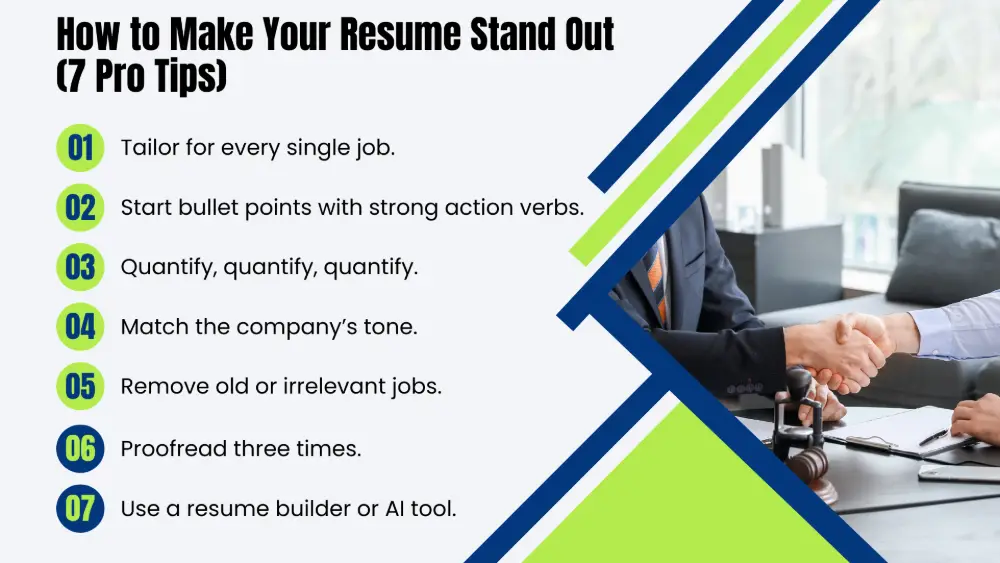
- Tailor for every single job. Yes, every one. Use the job description’s keywords — especially in your skills and experience sections.
- Start bullet points with strong action verbs. Never use “responsible for” or “duties included.” Use achieved, launched, built, led, redesigned, negotiated.
- Quantify, quantify, quantify. Numbers catch the eye. “Increased sales by 35%” beats “increased sales.”
- Match the company’s tone. Startup? You can be slightly more energetic. Law firm? Stay formal and concise.
- Remove old or irrelevant jobs. If you waited tables in college but now you’re applying for IT roles, delete it.
- Proofread three times. One typo can send your resume to the trash. Read it backward, read it out loud, ask a friend to read it.
- Use a resume builder or AI tool to save time and ensure professional formatting.
How Smallppt Can Help You Build a Better Resume
Writing a resume from scratch is time-consuming. Formatting alone can take an hour as you wrestle with margins, bullet alignment, and font size. And if you’re not a designer, it’s easy to end up with something that looks… amateur.
That’s where Smallppt comes in.
Smallppt is an AI-powered productivity tool that creates polished, professional documents from simple text prompts, PDFs, or even URLs. Think of it as your personal resume coach + designer, all in one.
Here’s how Smallppt helps with resumes:
- Define Your Resume's Presentation Style: Treat your resume as a "personal pitch" presentation. Select a professional template provided by Smallppt to visually organize your professional experience and achievements, thereby highlighting key information.
- Leverage AI to Generate a Draft: Input keywords—such as your professional background, core skills, and target position—into Smallppt. The tool will automatically generate a structured draft featuring sections.
- Personalize and Refine Your Content: The AI-generated draft serves as a foundation; you must now engage in in-depth editing. Ensure the accuracy of all details and adjust the layout and design to reflect your personal style, making the document uniquely yours.
- Ensure Output Format Meets Recruitment Requirements: Verify the specific resume format requirements stipulated by the hiring party. If a PDF presentation format is accepted, Smallppt allows you to export your document in this style.
👉Ready to stop wrestling with Word documents? Try Smallppt today — it’s the smart way to create a resume presentation that actually gets noticed.
Conclusion
You now have a complete roadmap for how to make a resume that works — from choosing the right format to writing bullet points that prove your value.
Let’s quickly recap the most important points:
- Choose the chronological format unless you have a good reason not to.
- Always tailor your resume to the job description.
- Use action verbs and numbers to describe achievements.
- Keep it to one page, use a clean font, and save as a PDF.
- If you have no experience, lean on education, projects, and transferable skills.
- And if you want to save hours of formatting headaches, let Smallppt do the heavy lifting.
Your resume is a living document. Update it as you gain new skills, finish projects, or land promotions.
And remember: the goal isn’t to list everything you’ve ever done. The goal is to make the recruiter say, “We need to talk to this person.”
Your next step: Open a new document (or fire up Smallppt) and write just one bullet point for your most recent role. Start there. You’ve got this.
FAQs
Q1: What does a good resume look like in 2026?
Clean, simple, and easy to skim in under 10 seconds. One page. Standard font. No weird graphics. The person reading it should immediately see “this person gets it.”
Q2: What are the main parts of a resume?
Header (contact info), professional summary or objective, work experience, education, skills. Optional sections include certifications, volunteer work, and projects.
Q3: Which skills actually matter?
The ones the job description asks for. Seriously. Copy their keywords (honestly). Generic stuff like “hardworking” means nothing. Show them how you work hard instead.
Q4: What if I have no work experience at all?
You’re not alone. Focus on school projects, volunteer work, even strong hobbies where you took responsibility. Employers care more about what you can do than a fancy job title. Be honest, but don’t sell yourself short.
Q5: How can I make my resume stand out without lying?
Quantify your achievements. Use specific numbers and outcomes. Tailor your resume to each job. And consider using a tool like Smallppt to ensure professional formatting and design.